Here’s something most people don’t know: some of the best captioning tools for hearing loss cost exactly nothing. Google Live Transcribe is free. Apple Live Captions is free. And both have gotten genuinely good — accurate enough in 2025 to follow a fast-talking doctor or navigate a noisy restaurant conversation with reasonable clarity.
That said, free isn’t always enough. Here’s the full landscape of live captioning options, from $0 apps to $1,000 dedicated devices, so you can pick what actually fits your situation.
Live Captioning App Costs
| Option | Platform | Cost |
|---|---|---|
| Google Live Transcribe | Android | Free |
| Apple Live Captions | iPhone/Mac (iOS 16+) | Free |
| Otter.ai (basic) | iOS/Android/Web | Free (limited minutes) |
| Otter.ai Pro | iOS/Android/Web | $16.99/month or $99.99/year |
| Otter.ai Business | Web/Enterprise | $30/month/user |
| Microsoft Teams Live Captions | Teams (any platform) | Included with Teams subscription |
| Zoom Live Transcription | Zoom | Included with Zoom plans |
| Google Meet captions | Web | Free with Google account |
| InnoCaption (phone calls) | iOS/Android | Free (FCC-funded for deaf/HoH) |
| CaptionCall (phone calls) | Dedicated phone | Free (FCC-funded) |
| CART (professional human captioning) | Live events | $100–$175/hour |
Free Apps Worth Using Right Now
Google Live Transcribe (Android)
Google Live Transcribe streams real-time captions directly on your Android phone screen. It uses Google’s cloud speech recognition — the same engine behind Google Assistant — and processes audio through your phone’s microphone. Accuracy is strong in quiet environments; less consistent in noise.
One underused feature: you can type back to the person you’re talking to on the same screen, making it genuinely two-way for phone-less conversations. No account needed. No setup. It’s in the Android Accessibility menu.
Apple Live Captions (iPhone, iPad, Mac)
Added in iOS 16 and macOS Ventura, Apple Live Captions processes speech on-device rather than in the cloud — which means it works with no internet connection and without sending your conversations to a server. That’s a meaningful privacy advantage. On-device processing is slightly less accurate than cloud-based systems in casual use, but Apple has improved it significantly through 2024–2025 updates.
Live Captions appears as a floating caption box on any audio your device receives — phone calls, FaceTime, streaming video, and live microphone input.
InnoCaption and CaptionCall (Free via FCC)
For phone calls specifically, InnoCaption and CaptionCall are free services funded by the Federal Communications Commission’s Telecommunications Relay Service (TRS) fund. If you have documented hearing loss, you can apply and receive captions on all phone calls at no cost.
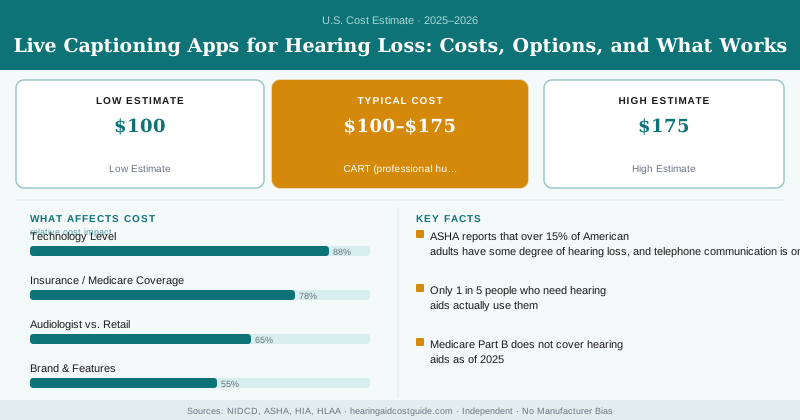
ASHA reports that over 15% of American adults have some degree of hearing loss, and telephone communication is one of the most commonly reported difficulties. These FCC-funded services exist specifically to close that gap.
InnoCaption and CaptionCall are available to anyone with hearing loss who has difficulty using the phone without captions. You’ll need to certify that you have a hearing loss; a formal audiogram isn’t required. Both services work on smartphones (app) and on dedicated captioned telephones placed at home. There’s no income requirement. Apply directly at innocaption.com or captioncall.com.
When You Need More Than a Free App
Free apps have real limitations. Speech recognition accuracy drops in:
- High-background-noise environments (restaurants, construction, transit)
- Heavy accents or non-standard speech patterns
- Fast multi-speaker conversations
- Specialized vocabulary (medical appointments, legal proceedings)
For these situations, paid options and dedicated hardware address the gaps.
Otter.ai Pro
Otter.ai Pro’s main advantage over Google/Apple is post-session transcripts. The app doesn’t just caption in real time — it saves a searchable, editable transcript of every conversation. For medical appointments, business meetings, or any conversation you need to reference later, this is valuable. At $100/year, it’s affordable if you use it regularly.
Dedicated Captioning Devices
Several purpose-built captioning devices exist for face-to-face conversations — typically a small screen placed between you and a conversation partner, displaying real-time captions.
| Device | Type | Cost |
|---|---|---|
| Olive Pro | Smart hearing glasses + display | $299 |
| XRAI Glass (Google Glass-based) | Glasses overlay captions | $499+ hardware |
| Deafhear Screen (portable) | Tabletop display | $150–$300 |
| TransPerfect INTERPRET NOW tablet | Professional-grade | $500–$1,200 |
CART: Human Captioning for High-Stakes Situations
Communication Access Realtime Translation (CART) is provided by professional captioners who type what they hear on a stenography machine, producing highly accurate real-time captions. It’s used at conferences, medical appointments, legal proceedings, and educational settings.
CART runs $100–$175/hour for remote services (via video relay) and $150–$250/hour for on-site captioners. It’s expensive, but for a critical medical conversation or legal proceeding where accuracy is non-negotiable, it’s the gold standard.
Under the Americans with Disabilities Act, employers and places of public accommodation may be required to provide CART services upon request at their expense.
Captioning apps are communication aids, not medical devices. They don’t treat hearing loss and aren’t a substitute for audiological care. For adults with treatable hearing loss who’ve been avoiding audiological evaluation because of cost, the combination of free captioning apps plus a hearing test is a better plan than captioning alone. Untreated hearing loss is associated with increased risk of cognitive decline — NIDCD research shows adults with untreated mild-to-moderate hearing loss are 2–5 times more likely to develop dementia over time. Captioning helps you communicate today; hearing aids and treatment address the underlying condition.
Making Technology Work Together
The most effective approach for many adults with hearing loss isn’t picking one tool — it’s using a combination:
- Hearing aids for everyday amplification and background noise management
- Free phone captioning (InnoCaption, Apple Live Captions) for phone calls
- Otter.ai Pro for important meetings, medical appointments, and multi-person conversations
- TV captioning (built into every modern television and streaming service — always turn it on)
The total cost for this combination: $0–$100/year for most people, plus the hearing aid investment. That’s a meaningful quality-of-life stack for a very small ongoing price.
Frequently Asked Questions
Most live captioning apps range from free to $200 per year. Google Live Transcribe and Apple Live Captions are completely free, while professional options like Otter.ai charge $120–$200 annually for premium features. Dedicated captioning devices typically cost $150–$1,000 depending on the brand and technology level.
Most standard health insurance plans do not cover live captioning apps since they are classified as consumer software rather than medical devices. However, some state vocational rehabilitation programs or disability services may subsidize or fully cover captioning tools for eligible individuals, so it's worth checking with your state's disability agency or Medicare Advantage plan about coverage options.
Free apps like Google Live Transcribe and Apple Live Captions can be downloaded and used immediately on your smartphone with no setup beyond installation, typically taking less than 5 minutes to start capturing captions in real-time. Paid services like Otter.ai require account creation and may take 10–15 minutes to set up, though they offer enhanced accuracy and offline options once activated.