In 2018, holding a face-to-face conversation with unreliable hearing meant constant repetition or misunderstanding. Today? There are free apps that transcribe speech to text in real time — fast enough to use mid-conversation. The technology has caught up.
Here’s a clear breakdown of what the apps cost, which are free, and which situations each one handles best.
Hearing Loss Communication Apps: Cost Overview
| App / Service | Cost | Platform | Best Use |
|---|---|---|---|
| Google Live Transcribe | Free | Android | Face-to-face, real-time captions |
| Apple Live Captions | Free | iOS 16+, macOS | Real-time captions for any audio |
| Otter.ai (free tier) | Free (limited) | iOS/Android/web | Meetings, voice memos |
| Otter.ai Pro | $16.99/month | iOS/Android/web | Professional meetings, transcripts |
| Ava (free tier) | Free (limited) | iOS/Android | Group conversations, identifies speakers |
| Ava Pro | $29.99/month | iOS/Android | Unlimited group caption use |
| Microsoft Azure Speech (Translator) | Free–$1/hour | Various | Multilingual real-time captions |
| InnoCaption (phone calls) | Free (FCC-funded) | iOS/Android | Captioned phone calls |
| CaptionCall | Free (FCC-funded) | Desktop/mobile | Captioned phone calls |
| Sorenson Video Relay Service | Free (FCC-funded) | Various | Video relay for ASL users |
Free Apps That Are Actually Good
Google Live Transcribe (Android)
Completely free. Transcribes speech to text in real time using your phone’s microphone. Accuracy is genuinely impressive — it handles accents, background noise, and fast speech better than most people expect. Works offline for some languages.
Best for: restaurants, appointments, quick face-to-face conversations.
Apple Live Captions (iOS 16+, macOS Ventura+)
Free. Overlays real-time captions on any audio — FaceTime calls, videos, in-person conversation. Works on iPhone 11 or later, processing done on-device for privacy.
Best for: iPhone users who want one integrated solution for all audio.
InnoCaption and CaptionCall (Free via FCC)
Captioned telephone services are funded by the FCC’s TRS (Telecommunications Relay Service) program. They’re free to individuals with hearing loss. InnoCaption uses human captioners plus AI for phone calls; CaptionCall provides a dedicated captioned phone device.
These services are free and federally funded. If you haven’t signed up, there’s no reason to pay for phone captioning elsewhere.
Paid Apps Worth Considering
Otter.ai Pro ($16.99/month)
Where Otter.ai exceeds the free apps: meeting transcription with speaker identification, searchable transcripts, Zoom/Teams/Google Meet integration. If you attend work meetings regularly and need a searchable record, the Pro tier is worth it.
Ava Pro ($29.99/month)
Ava is specifically designed for deaf and hard-of-hearing users. The key differentiator: in a group conversation, Ava identifies which speaker is talking and labels their text. Useful at family gatherings, group appointments, or board meetings. The free tier limits monthly minutes.
The National Institute on Deafness and Other Communication Disorders (NIDCD) reports that only about 1 in 5 people who could benefit from hearing aids actually uses them. Communication apps can serve as a bridge — lowering barriers for people who haven’t yet pursued hearing aids, while complementing aids for those who have them.
Phone Amplification Apps
Separate from captioning, several free apps amplify incoming call audio:
- HearYouNow (iOS): Free. Routes phone audio through hearing aids via Bluetooth.
- EarMachine (iOS): Free. Turns your phone into a personal sound amplifier using earbuds.
- Chatable: Subscription. AI-powered hearing enhancement for streaming audio.
These work best as supplements to hearing aids, not substitutes.
Limitations to Know
- Accuracy varies: Accents, medical terminology, and multiple overlapping speakers reduce accuracy across all apps
- Latency: Most apps have a 0.5–2 second delay — workable for conversation, challenging for rapid back-and-forth
- Privacy: Cloud-based transcription (Otter, Ava) sends audio to servers. For sensitive medical or legal conversations, confirm privacy policies
- Quiet environment helps: Background noise degrades accuracy for all apps
Communication apps are tools, not treatment. If you’re relying heavily on live caption apps to get through daily conversations, that’s a sign your hearing loss warrants a professional evaluation and possibly hearing aids. ASHA recommends evaluation when hearing loss significantly affects daily communication — don’t delay.
The Bottom Line
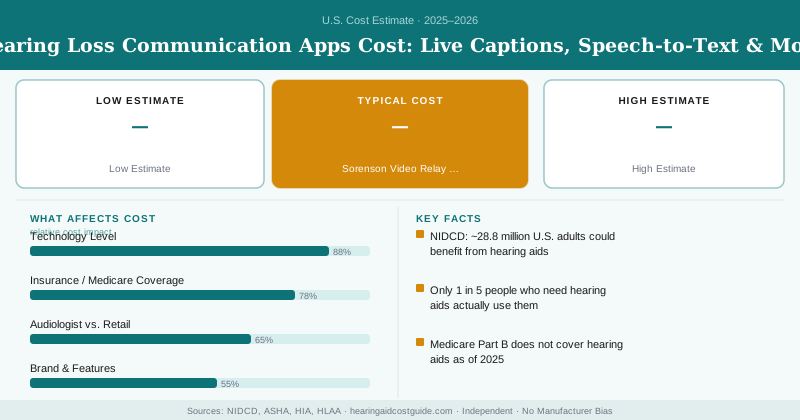
Start free: Google Live Transcribe (Android) or Apple Live Captions (iOS) costs you nothing and handles most everyday situations. Sign up for InnoCaption or CaptionCall for free captioned phone calls. If you have frequent meetings or group conversations, Otter.ai Pro ($17/month) or Ava Pro ($30/month) add meaningful capability. Total out-of-pocket cost for a complete setup: $0–$30/month.
Frequently Asked Questions
Most hearing loss communication apps range from free to $30 per month. Free options include live caption apps like Google Live Transcribe and Apple Live Captions, while premium transcription services like Otter.ai charge $9.99 to $30 per month depending on storage and feature access.
Most health insurance plans do not cover communication apps as they are considered general accessibility tools rather than medical devices. However, some apps may qualify for reimbursement through Flexible Spending Accounts (FSAs) or Health Savings Accounts (HSAs) if prescribed by an audiologist, though out-of-pocket costs typically remain $0–$30 monthly for standard subscriptions.
Modern hearing loss communication apps like Google Live Transcribe and Otter work well for real-time conversations with latency of 1–3 seconds, making them practical for face-to-face interactions. Apps designed for recorded audio have minimal lag but work best for reviewing conversations afterward, while real-time options are ideal if you need captions immediately during a discussion.